Email Templates
Emails written as Vue components, rendered with nuxt-email-renderer and sent through Notify, as a Nuxt module. It does two things:
- The host sends its own templates with a typed
sendEmailTemplate(name, props, message). - Modules (Auth, Users, Subscriptions) ship a template for every email they send. With this module installed, those emails are rendered from the templates. Without it, they go out as the plain HTML each module builds. The host overrides any module template by adding a file with the same name.
All the Vue rendering lives here: Notify and the feature modules stay free of Vue SSR.
@frigear-nu/module-kit, @frigear-nu/notify and nuxt-email-renderer; all are
installed automatically.Quick setup
export default defineNuxtConfig({
  modules: ['@frigear-nu/email-templates'],
})
@frigear-nu/email-templates in modules. Installed as a dependency of another module is not enough: without it in
modules, notify sends the plain HTML fallback.Add templates to app/emails (or emails/, or the nuxtEmailRenderer.emailsDir option). Every top-level .vue file
is a template, named by its file name. Build them from the components so they match the module emails:
<script setup lang="ts">
import { EmailButton, EmailDivider, EmailHeading, EmailLayout, EmailLinkFallback, EmailText } from '@frigear-nu/email-templates/components'

defineProps<{ name: string, url: string }>()
</script>

<template>
  <EmailLayout :preview="`Welcome, ${name}!`">
    <ESubject>Welcome, {{ name }}</ESubject>
    <EmailHeading>Welcome, {{ name }}!</EmailHeading>
    <EmailDivider />
    <EmailText>Thanks for signing up. Click the button below to get started.</EmailText>
    <EmailButton :href="url">Get started</EmailButton>
    <EmailLinkFallback :href="url" />
  </EmailLayout>
</template>
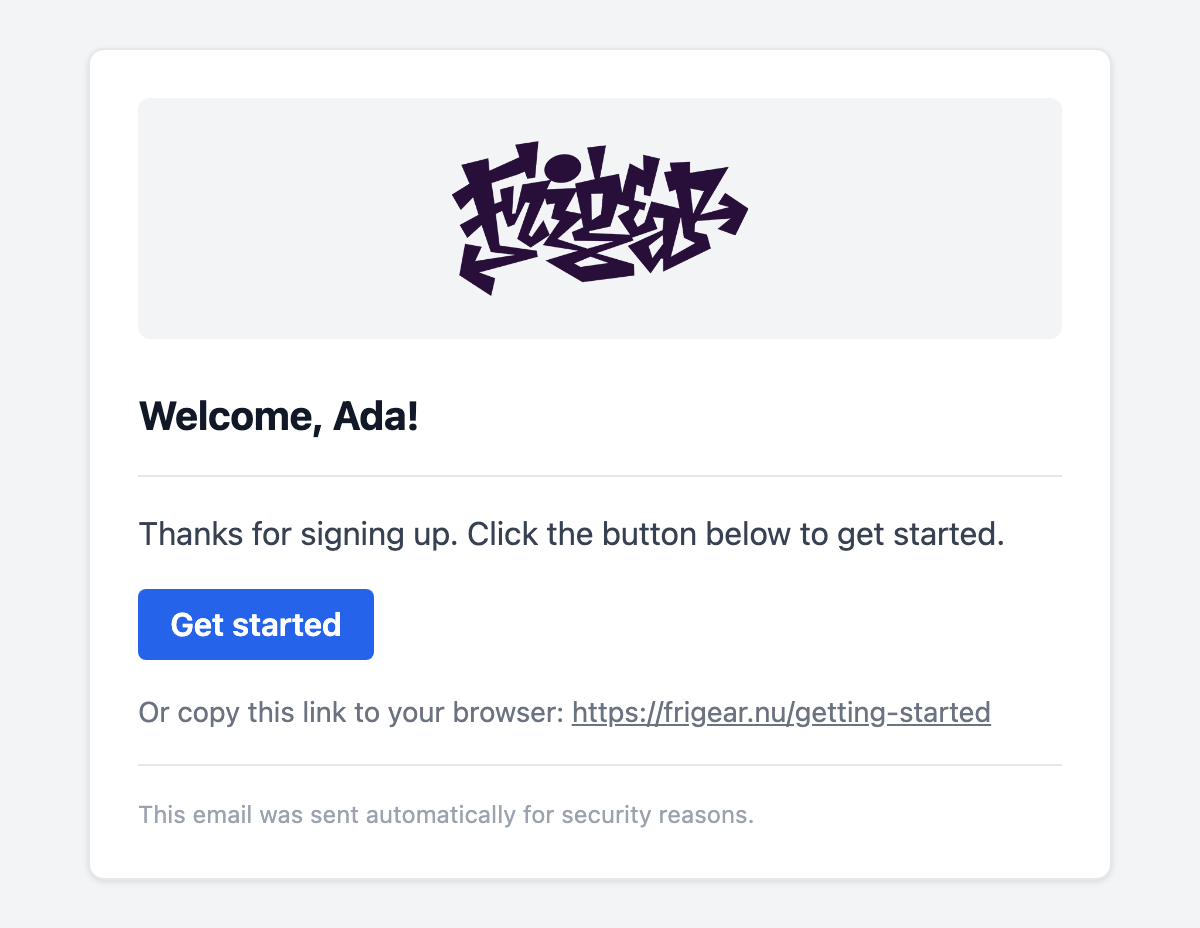
The E* components, <ESubject>, i18n ($t with @nuxtjs/i18n), globalCss and the DevTools preview all come
from nuxt-email-renderer. This module sets its codeHighlighting default to false, which
keeps Shiki out of the server bundle. Set nuxtEmailRenderer.codeHighlighting: true if you need <ECodeBlock>.
Components
Styled building blocks, imported from @frigear-nu/email-templates/components. You have to import them: the renderer
registers only its own E* components globally. They use inline styles and table layout, because email clients do not
support CSS classes. Mix them freely with the renderer's E* components.
Every email has the same shape: a grey page, a white card with the logo header, the content, and a footer.
| Component | Props | Renders |
|---|---|---|
EmailLayout | preview?, lang? (en); slots: default, footer | The whole document: page, card, EmailHeader and EmailFooter (replace it with the footer slot) |
EmailHeader | logoUrl? | Centred logo, 150px wide, or the brand name when no logo is configured |
EmailHeading | tone?: 'default' | 'danger' | The h2 title; danger for security alerts |
EmailText | variant?: 'default' | 'muted' | 'small' | A paragraph: body text, secondary text, fine print |
EmailButton | href, color?: 'primary' | 'danger' | Call-to-action button |
EmailLinkFallback | href; slot for the lead-in | "Or copy this link to your browser: …" |
EmailDivider | none | Horizontal rule |
EmailFooter | slot | "This email was sent automatically for security reasons." |
Branding comes from the module options. Each option can also be set at runtime:
export default defineNuxtConfig({
  emailTemplates: {
    brandName: 'Frigear', // logo alt text, and the header when there is no logo
    logoUrl: '/logo.png', // absolute, or resolved against siteUrl
    siteUrl: 'https://frigear.nu',
    colors: { primary: '#2563eb', danger: '#dc2626' },
  },
})
| Environment variable | Option |
|---|---|
NUXT_EMAIL_TEMPLATES_BRAND_NAME | brandName |
NUXT_EMAIL_TEMPLATES_LOGO_URL | logoUrl |
NUXT_EMAIL_TEMPLATES_SITE_URL | siteUrl |
NUXT_EMAIL_TEMPLATES_COLORS_PRIMARY, _DANGER | colors.primary, colors.danger |
Use an absolute URL for the logo: mail clients cannot resolve relative paths. The previews on this page use the default colours and the Frigear logo.
Composing an email
Every template starts from EmailLayout, which already draws the page, the card, the logo and the footer. Inside it
come the blocks, usually in this order: <ESubject>, an EmailHeading, an EmailDivider, then EmailText paragraphs
and an EmailButton followed by an EmailLinkFallback. A few patterns go beyond that:
- Tables and columns. The renderer's
ERowandEColumnsit next to the components. Use them for key/value details or line items, since email clients do not support flexbox or grid. - Fine-tuning a block. A
styleyou pass merges into the component's own, for examplestyle="margin: 0"to tighten a list. - Formatting. Templates render outside the Nuxt app, so app composables such as
useFormat()are not available. Format numbers and dates withIntl, or pass them in already formatted. - Your own footer. Fill the layout's
footerslot with anEmailFooter, or anything else, for example to add an unsubscribe link.
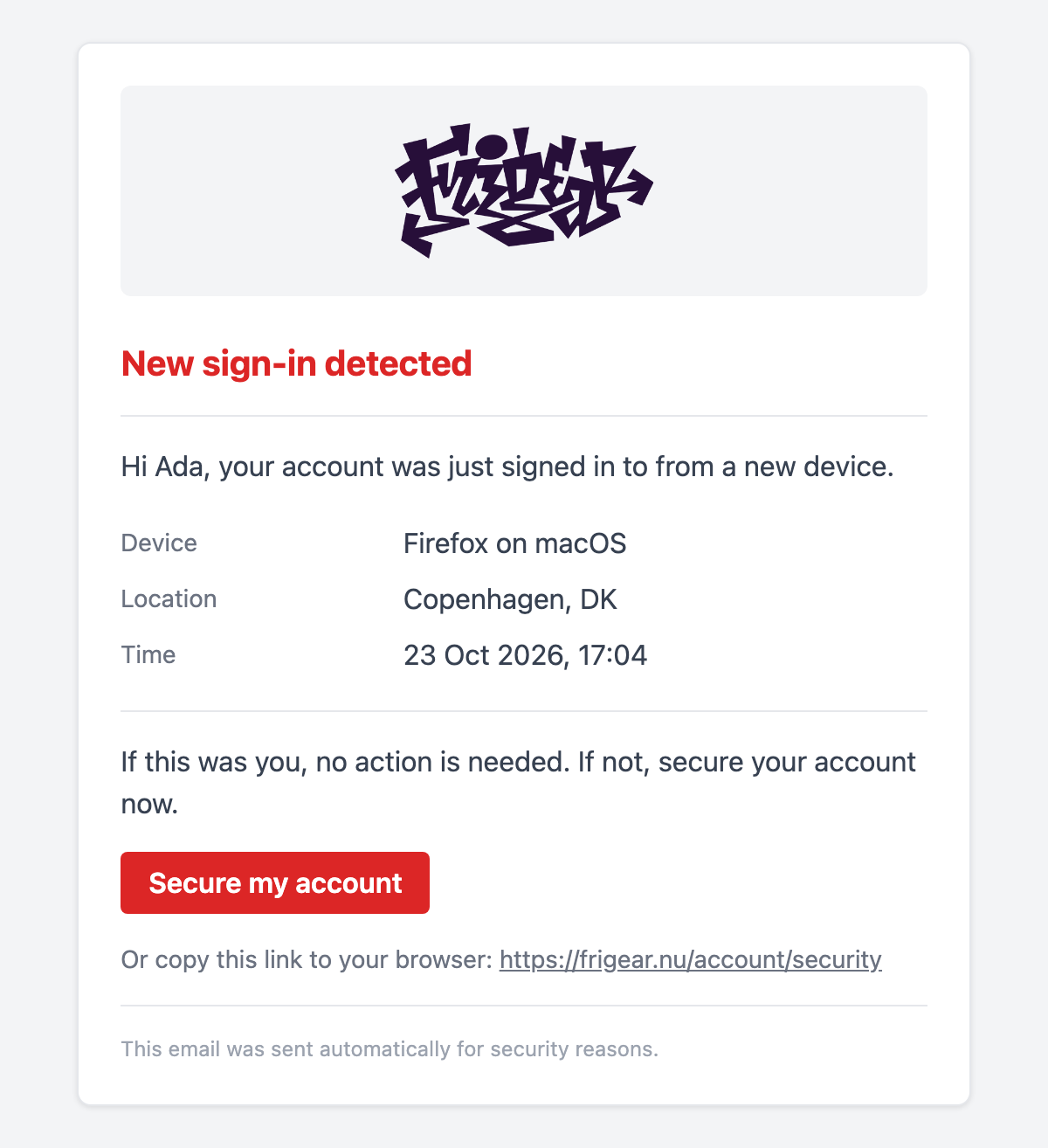
A security alert, with a details table and a danger heading and button:
<script setup lang="ts">
import { EmailButton, EmailDivider, EmailHeading, EmailLayout, EmailLinkFallback, EmailText } from '@frigear-nu/email-templates/components'

defineProps<{
  name: string
  device: string
  location: string
  signedInAt: string
  secureUrl: string
}>()
</script>

<template>
  <EmailLayout preview="New sign-in to your account">
    <ESubject>New sign-in to your account</ESubject>
    <EmailHeading tone="danger">
      New sign-in detected
    </EmailHeading>
    <EmailDivider />
    <EmailText>Hi {{ name }}, your account was just signed in to from a new device.</EmailText>

    <!-- Renderer components mix in freely: a two-column details table. -->
    <ERow
      v-for="[label, value] in [['Device', device], ['Location', location], ['Time', signedInAt]]"
      :key="label"
    >
      <EColumn style="width: 35%; padding: 4px 0">
        <EmailText
          variant="muted"
          style="margin: 0"
        >
          {{ label }}
        </EmailText>
      </EColumn>
      <EColumn style="padding: 4px 0">
        <EmailText style="margin: 0">
          {{ value }}
        </EmailText>
      </EColumn>
    </ERow>

    <EmailDivider />
    <EmailText>If this was you, no action is needed. If not, secure your account now.</EmailText>
    <EmailButton
      :href="secureUrl"
      color="danger"
    >
      Secure my account
    </EmailButton>
    <EmailLinkFallback :href="secureUrl" />
  </EmailLayout>
</template>
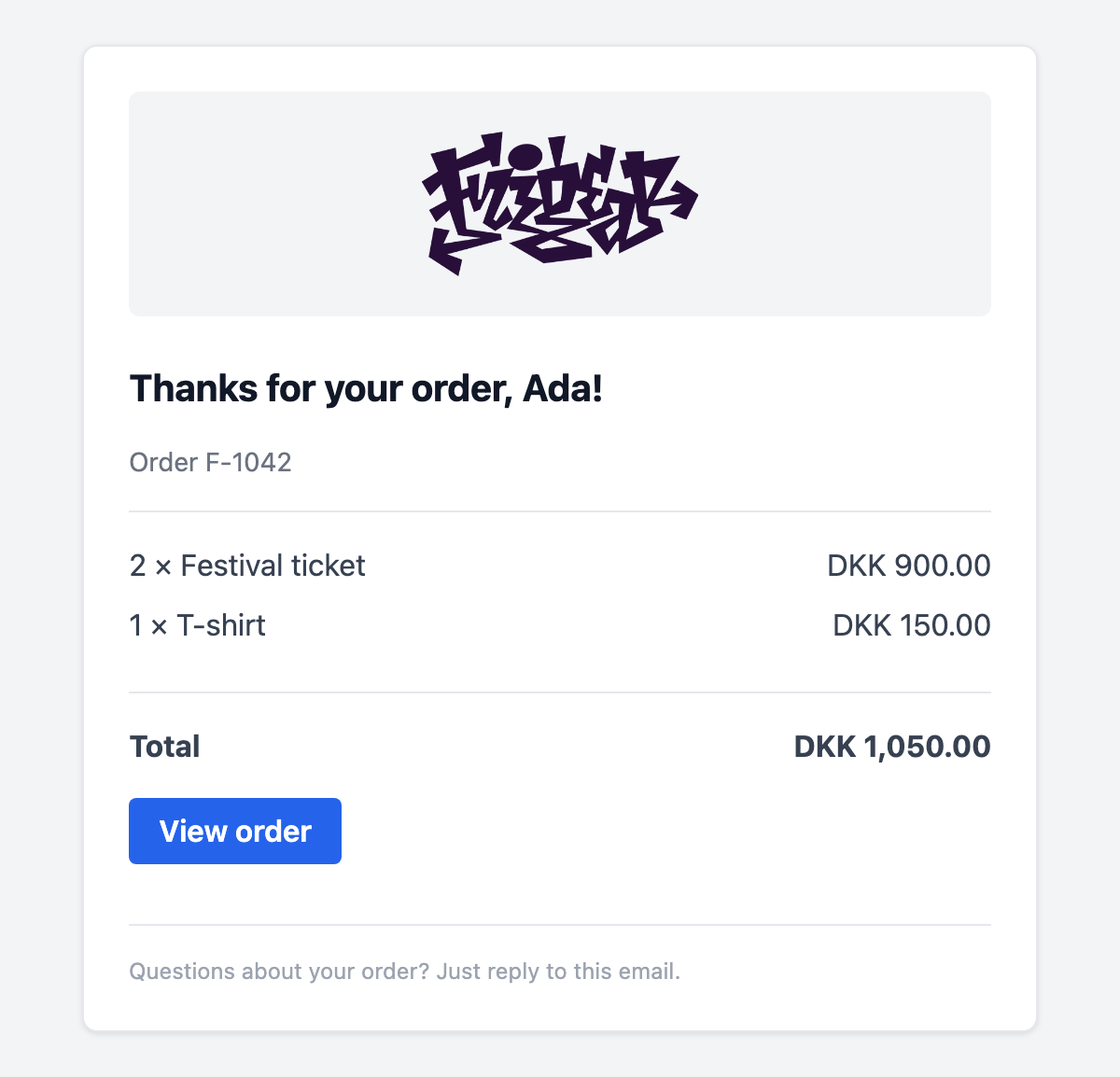
A receipt, with line items, a computed total and a footer of its own:
<script setup lang="ts">
import { computed } from 'vue'
import { EmailButton, EmailDivider, EmailFooter, EmailHeading, EmailLayout, EmailText } from '@frigear-nu/email-templates/components'

const props = defineProps<{
  name: string
  orderNumber: string
  items: { label: string, quantity: number, amount: number }[]
  currency: string
  orderUrl: string
}>()

// Templates render outside the Nuxt app, so format with Intl rather than app composables.
const money = (amount: number) => new Intl.NumberFormat('en', { style: 'currency', currency: props.currency }).format(amount)
const total = computed(() => props.items.reduce((sum, item) => sum + item.amount * item.quantity, 0))
</script>

<template>
  <EmailLayout :preview="`Receipt for order ${orderNumber}`">
    <ESubject>Your receipt for order {{ orderNumber }}</ESubject>
    <EmailHeading>Thanks for your order, {{ name }}!</EmailHeading>
    <EmailText variant="muted">
      Order {{ orderNumber }}
    </EmailText>
    <EmailDivider />

    <ERow
      v-for="item in items"
      :key="item.label"
    >
      <EColumn>
        <EmailText style="margin: 0 0 8px">
          {{ item.quantity }} × {{ item.label }}
        </EmailText>
      </EColumn>
      <EColumn align="right">
        <EmailText style="margin: 0 0 8px">
          {{ money(item.amount * item.quantity) }}
        </EmailText>
      </EColumn>
    </ERow>

    <EmailDivider />
    <ERow>
      <EColumn>
        <EmailText style="font-weight: 700; margin: 0 0 16px">
          Total
        </EmailText>
      </EColumn>
      <EColumn align="right">
        <EmailText style="font-weight: 700; margin: 0 0 16px">
          {{ money(total) }}
        </EmailText>
      </EColumn>
    </ERow>

    <EmailButton :href="orderUrl">
      View order
    </EmailButton>

    <template #footer>
      <EmailFooter>Questions about your order? Just reply to this email.</EmailFooter>
    </template>
  </EmailLayout>
</template>
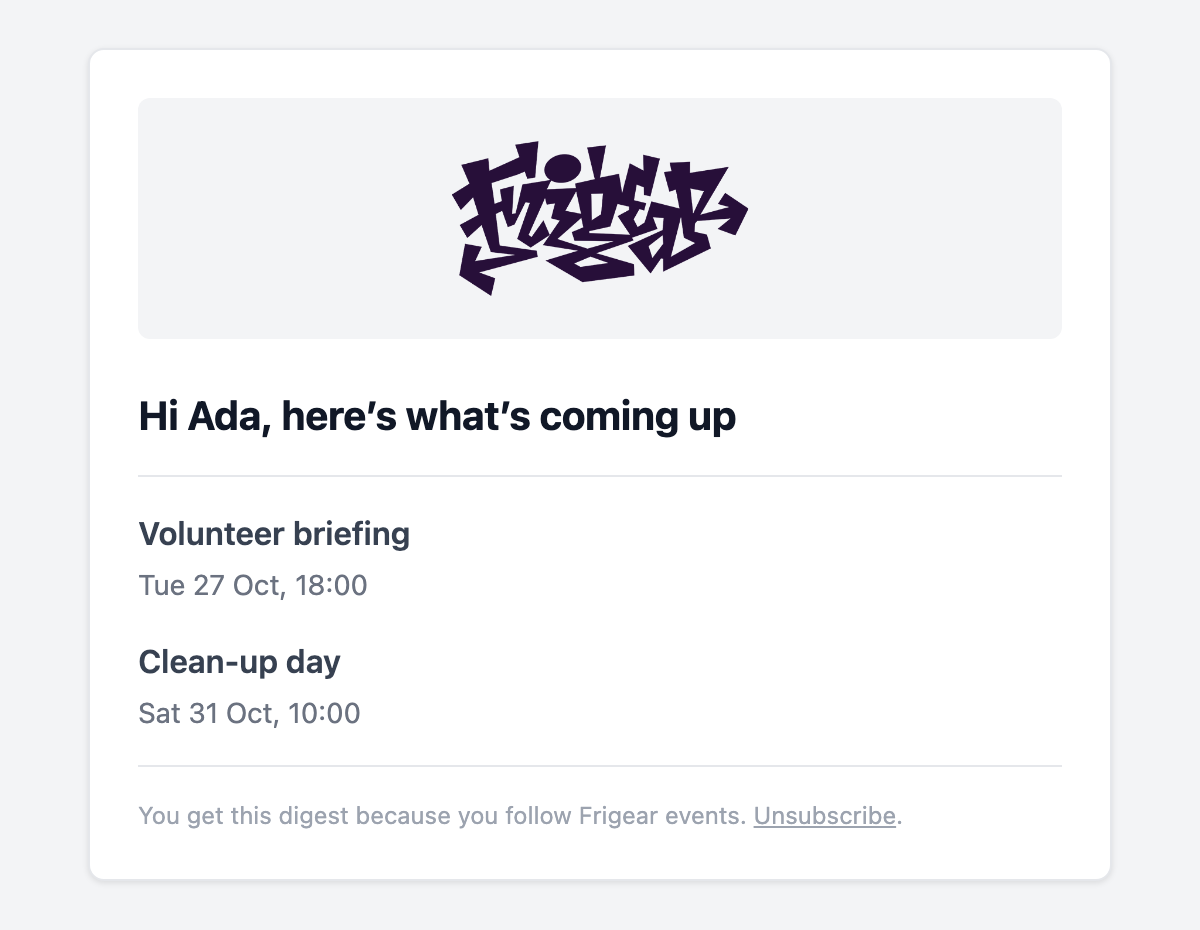
A digest with no button: a list of links, an empty state, and an unsubscribe link in the footer:
<script setup lang="ts">
import { EmailDivider, EmailFooter, EmailHeading, EmailLayout, EmailText } from '@frigear-nu/email-templates/components'

defineProps<{
  name: string
  events: { title: string, date: string, url: string }[]
  unsubscribeUrl: string
}>()
</script>

<template>
  <EmailLayout preview="Upcoming events this week">
    <ESubject>This week at Frigear</ESubject>
    <EmailHeading>Hi {{ name }}, here’s what’s coming up</EmailHeading>
    <EmailDivider />

    <template
      v-for="event in events"
      :key="event.url"
    >
      <EmailText style="margin: 0 0 4px; font-weight: 600">
        <ELink
          :href="event.url"
          style="color: inherit"
        >
          {{ event.title }}
        </ELink>
      </EmailText>
      <EmailText variant="muted">
        {{ event.date }}
      </EmailText>
    </template>

    <EmailText v-if="!events.length">
      Nothing scheduled this week. We’ll let you know when something comes up.
    </EmailText>

    <!-- Replace the default footer, e.g. with an unsubscribe link. -->
    <template #footer>
      <EmailFooter>
        You get this digest because you follow Frigear events.
        <a
          :href="unsubscribeUrl"
          style="color: inherit"
        >Unsubscribe</a>.
      </EmailFooter>
    </template>
  </EmailLayout>
</template>
Send them like any other template. The props are typed from each defineProps:
await sendEmailTemplate('order-receipt', {
  name: user.name,
  orderNumber: order.number,
  currency: 'DKK',
  items: order.lines.map(line => ({ label: line.label, quantity: line.quantity, amount: line.amount })),
  orderUrl: `${origin}/orders/${order.number}`,
}, { to: user.email })
Server
sendEmailTemplate and renderEmailTemplate are auto-imported in server code.
await sendEmailTemplate('welcome', { name: user.name, url }, {
  to: user.email,
  replyTo: 'support@frigear.nu',
})
| Function | Signature |
|---|---|
sendEmailTemplate | (name, props, message) => Promise<void>. Renders, then sends with dispatchEmailNotification. |
renderEmailTemplate | (name, props, { locale?, text? }) => Promise<{ subject?, body, text? }>. Renders without sending. |
message is an EmailNotification without body (to, replyTo, meta), plus:
| Field | Purpose |
|---|---|
subject | Overrides the template's <ESubject>. Required when the template has none. |
text | Your own plain-text body, or false to send HTML only. By default it is rendered from the template. |
locale | Locale to render with, when @nuxtjs/i18n is installed. |
The template names are typed, and so are each template's props. Both are generated into
.nuxt/types/email-templates.d.ts from every template the renderer will see, so a misspelled name or a missing prop
does not compile. Adding or removing a template in dev regenerates them.
Module emails
A module dispatches its email exactly as before, with the plain HTML as the fallback, and names its template:
await dispatchEmailNotification({
  to,
  subject: 'Your sign-in link',
  body: `<p>…</p>`,
  text: `…`,
  template: { name: 'auth-magic-link', props: { name, url } },
})
The module ships the template, built from the components, and registers its directory with Notify's
notify:email:templates build hook. That hook
lives in Notify, so the module does not depend on this one:
// module setup()
nuxt.hook('notify:email:templates', sources => sources.push({ dir: resolver.resolve('./runtime/emails') }))
This module listens on Notify's notify:email runtime hook. When the notification names a template that exists, it
renders it and replaces subject (when the template has <ESubject>), body and text. If the template is missing,
or it throws or renders nothing, the error is logged and the fallback is sent. A broken template never blocks a sign-in
link.
Name module templates <module>-<email>.vue so they do not collide.
Overriding a module template
Add a template with the same name to the app (or any layer) and it replaces the module's. Use the same props, and reuse the components to keep the look. To only change the branding, use the options instead.
<script setup lang="ts">
import { EmailButton, EmailHeading, EmailLayout, EmailLinkFallback, EmailText } from '@frigear-nu/email-templates/components'

defineProps<{ name: string, url: string }>()
</script>

<template>
  <EmailLayout lang="da" preview="Dit login-link">
    <ESubject>Log ind på Frigear</ESubject>
    <EmailHeading>Hej {{ name }}</EmailHeading>
    <EmailText>Klik på knappen for at logge ind.</EmailText>
    <EmailButton :href="url">Log ind</EmailButton>
    <EmailLinkFallback :href="url">Eller kopier linket:</EmailLinkFallback>
  </EmailLayout>
</template>
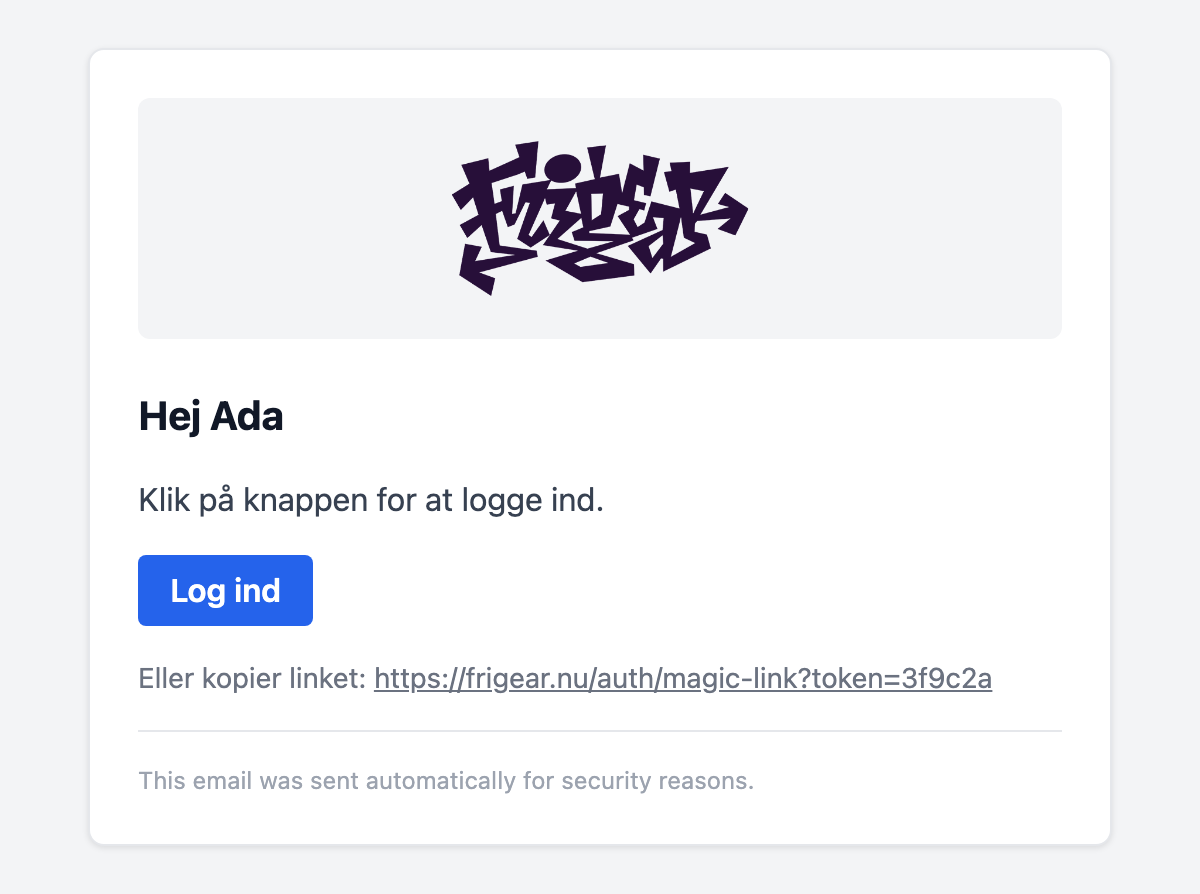
Precedence, lowest to highest: module templates, then the layers' templates, then the app's.
| Template | Sent by | Props |
|---|---|---|
auth-magic-link | Auth: magic-link sign-in | { name, url } |
auth-verify-email | Auth: verify the address after registering | { name, url } |
auth-password-reset | Auth: forgot password | { url } |
users-verify-email-change | Users: confirm a new email address | { name, url } |
users-email-changed | Users: notice to the old address, with an undo link | { name, newEmail, url } |
users-password-changed | Users: password changed notice | { name } |
subscriptions-payment-link | Subscriptions: staff-sent payment link | { name, label, url } |
Bundle and runtime notes
- Rendering bundles Vue SSR and the template components into the Nitro server. Templates that a published module ships are inlined, so the Vue plugin compiles them.
- nuxt-email-renderer has no option for template directories outside the layers. This module therefore rebuilds its
#email-templatesvirtual module with the module templates added underneath. It does not work withexperimental.nitroViteEnvironmentyet: in that mode the renderer only compiles.vuefiles from the layer directories.