Email components
This page shows the styled components every Frigear email is built from, and how to compose an email of your own. It is for app developers who write templates. Set up the module first: Overview.
Components
Import the components from @frigear-nu/email-templates/components. The renderer registers only its own E*
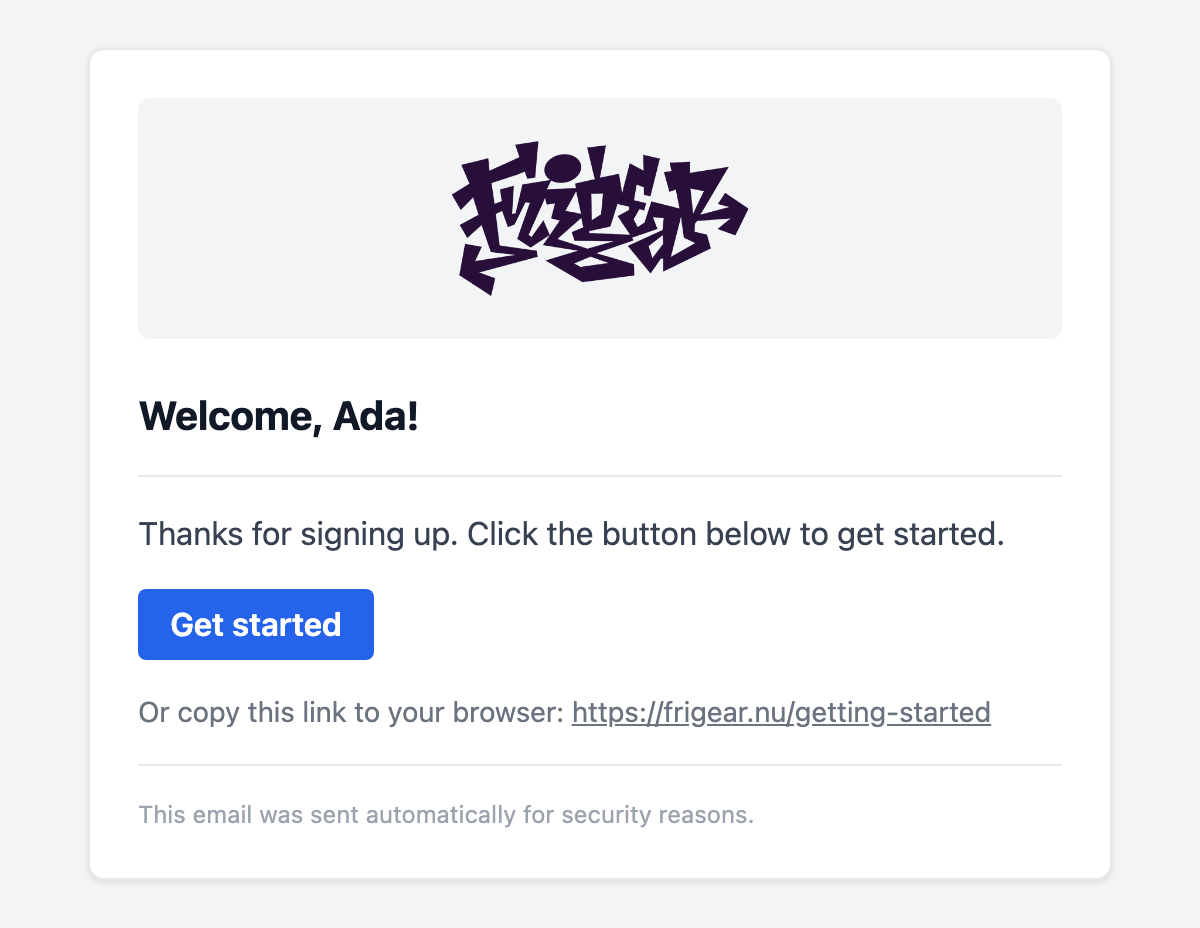
components globally, and you can mix both freely. Every email has the same shape: a grey page, a white card with the
logo, the content and a footer.
| Component | Props | Renders |
|---|---|---|
EmailLayout | preview?, lang? (en); slots: default, footer | The whole document: page, card, EmailHeader and EmailFooter. |
EmailHeader | logoUrl? | The logo, 150px wide, or the brand name when there is no logo. |
EmailHeading | tone?: 'default' | 'danger' | The h2 title. danger is for security alerts. |
EmailText | variant?: 'default' | 'muted' | 'small' | A paragraph of body text, secondary text or fine print. |
EmailButton | href, color?: 'primary' | 'danger' | A call-to-action button. |
EmailLinkFallback | href; a slot for the lead-in | "Or copy this link to your browser: …" |
EmailDivider | none | A horizontal rule. |
EmailFooter | slot | "This email was sent automatically for security reasons." |
Composing an email
Every template starts from EmailLayout, which draws the page, the card, the logo and the footer. Inside it, the
usual order is <ESubject>, an EmailHeading, an EmailDivider, EmailText paragraphs, then an EmailButton and
its EmailLinkFallback:
<script setup lang="ts">
import { EmailButton, EmailDivider, EmailHeading, EmailLayout, EmailLinkFallback, EmailText } from '@frigear-nu/email-templates/components'

defineProps<{ name: string, url: string }>()
</script>

<template>
  <EmailLayout :preview="`Welcome, ${name}!`">
    <ESubject>Welcome, {{ name }}</ESubject>
    <EmailHeading>Welcome, {{ name }}!</EmailHeading>
    <EmailDivider />
    <EmailText>Thanks for signing up. Click the button below to get started.</EmailText>
    <EmailButton :href="url">Get started</EmailButton>
    <EmailLinkFallback :href="url" />
  </EmailLayout>
</template>
Beyond that shape:
- Tables and columns. Use the renderer's
ERowandEColumnfor details or line items. - Fine-tuning a block. A
styleyou pass merges into the component's own, such asstyle="margin: 0". - Formatting. Templates render outside the Nuxt app, so
useFormat()and other app composables are not available. Format numbers and dates withIntl, or pass them in formatted. - Your own footer. Fill the layout's
footerslot, for example with an unsubscribe link.
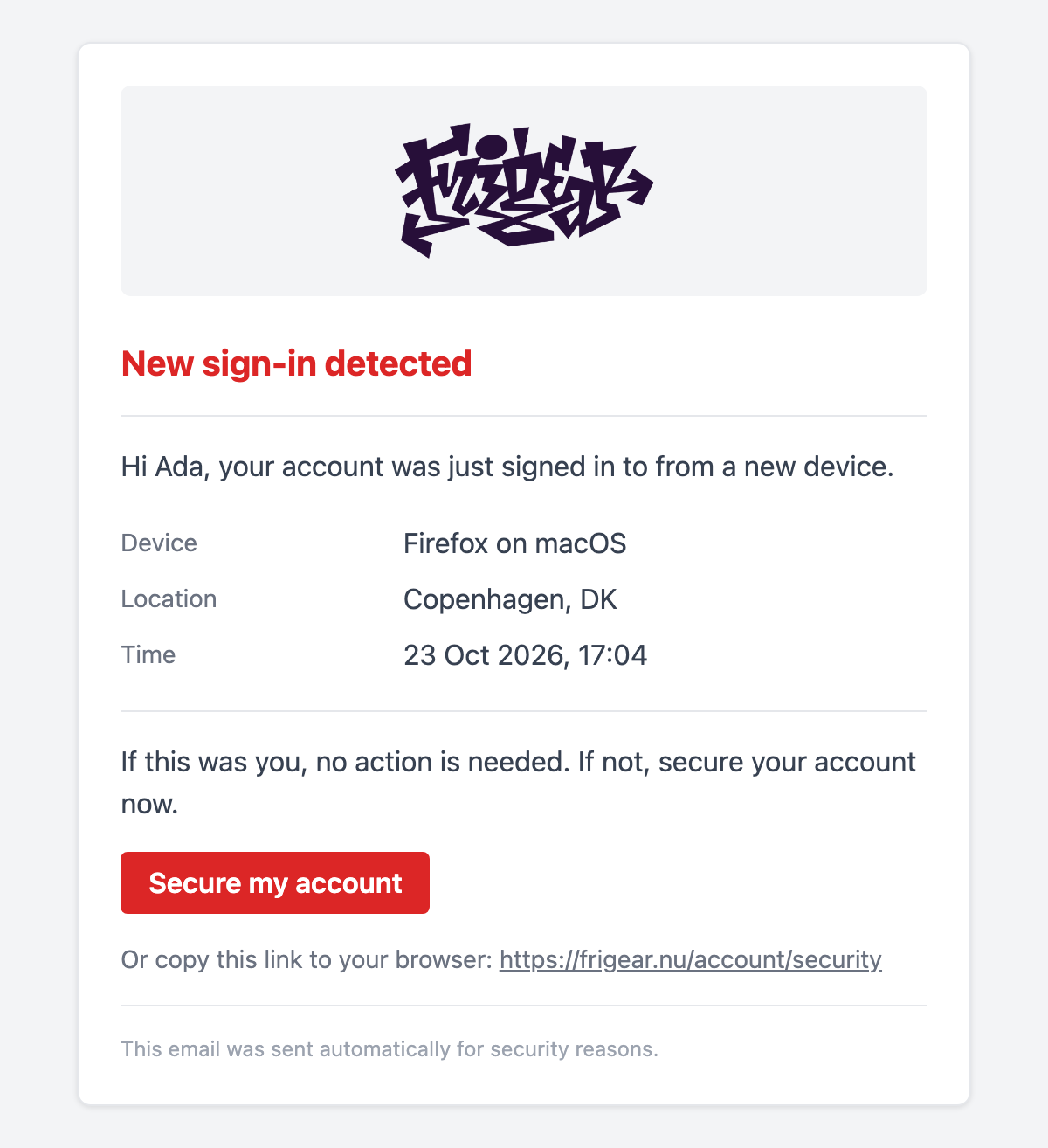
A security alert, with a details table and a danger heading and button:
<script setup lang="ts">
import { EmailButton, EmailDivider, EmailHeading, EmailLayout, EmailLinkFallback, EmailText } from '@frigear-nu/email-templates/components'

defineProps<{
  name: string
  device: string
  location: string
  signedInAt: string
  secureUrl: string
}>()
</script>

<template>
  <EmailLayout preview="New sign-in to your account">
    <ESubject>New sign-in to your account</ESubject>
    <EmailHeading tone="danger">
      New sign-in detected
    </EmailHeading>
    <EmailDivider />
    <EmailText>Hi {{ name }}, your account was just signed in to from a new device.</EmailText>

    <!-- Renderer components mix in freely: a two-column details table. -->
    <ERow
      v-for="[label, value] in [['Device', device], ['Location', location], ['Time', signedInAt]]"
      :key="label"
    >
      <EColumn style="width: 35%; padding: 4px 0">
        <EmailText
          variant="muted"
          style="margin: 0"
        >
          {{ label }}
        </EmailText>
      </EColumn>
      <EColumn style="padding: 4px 0">
        <EmailText style="margin: 0">
          {{ value }}
        </EmailText>
      </EColumn>
    </ERow>

    <EmailDivider />
    <EmailText>If this was you, no action is needed. If not, secure your account now.</EmailText>
    <EmailButton
      :href="secureUrl"
      color="danger"
    >
      Secure my account
    </EmailButton>
    <EmailLinkFallback :href="secureUrl" />
  </EmailLayout>
</template>
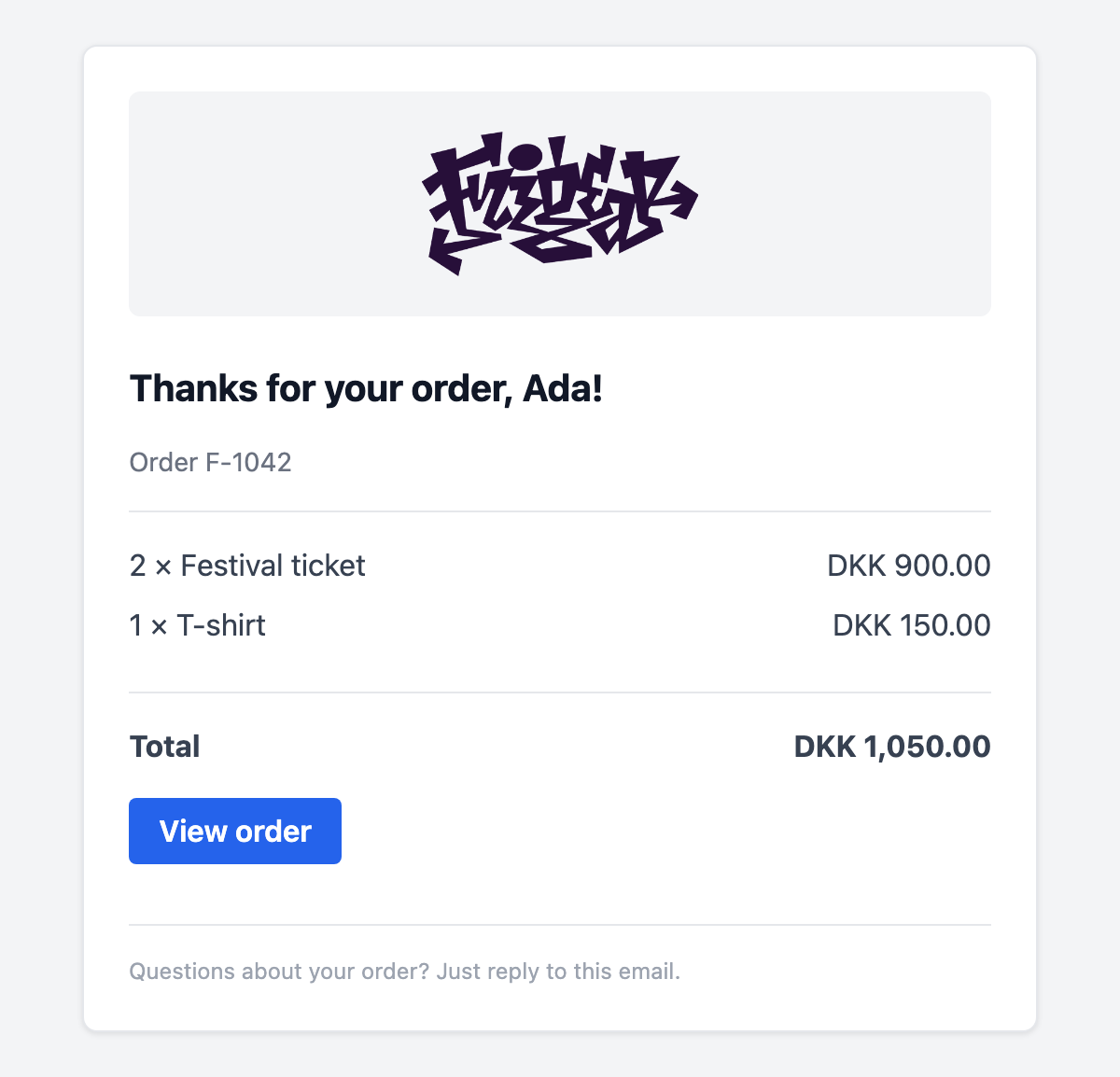
A receipt, with line items, a computed total and a footer of its own:
<script setup lang="ts">
import { computed } from 'vue'
import { EmailButton, EmailDivider, EmailFooter, EmailHeading, EmailLayout, EmailText } from '@frigear-nu/email-templates/components'

const props = defineProps<{
  name: string
  orderNumber: string
  items: { label: string, quantity: number, amount: number }[]
  currency: string
  orderUrl: string
}>()

// Templates render outside the Nuxt app, so format with Intl rather than app composables.
const money = (amount: number) => new Intl.NumberFormat('en', { style: 'currency', currency: props.currency }).format(amount)
const total = computed(() => props.items.reduce((sum, item) => sum + item.amount * item.quantity, 0))
</script>

<template>
  <EmailLayout :preview="`Receipt for order ${orderNumber}`">
    <ESubject>Your receipt for order {{ orderNumber }}</ESubject>
    <EmailHeading>Thanks for your order, {{ name }}!</EmailHeading>
    <EmailText variant="muted">
      Order {{ orderNumber }}
    </EmailText>
    <EmailDivider />

    <ERow
      v-for="item in items"
      :key="item.label"
    >
      <EColumn>
        <EmailText style="margin: 0 0 8px">
          {{ item.quantity }} × {{ item.label }}
        </EmailText>
      </EColumn>
      <EColumn align="right">
        <EmailText style="margin: 0 0 8px">
          {{ money(item.amount * item.quantity) }}
        </EmailText>
      </EColumn>
    </ERow>

    <EmailDivider />
    <ERow>
      <EColumn>
        <EmailText style="font-weight: 700; margin: 0 0 16px">
          Total
        </EmailText>
      </EColumn>
      <EColumn align="right">
        <EmailText style="font-weight: 700; margin: 0 0 16px">
          {{ money(total) }}
        </EmailText>
      </EColumn>
    </ERow>

    <EmailButton :href="orderUrl">
      View order
    </EmailButton>

    <template #footer>
      <EmailFooter>Questions about your order? Just reply to this email.</EmailFooter>
    </template>
  </EmailLayout>
</template>
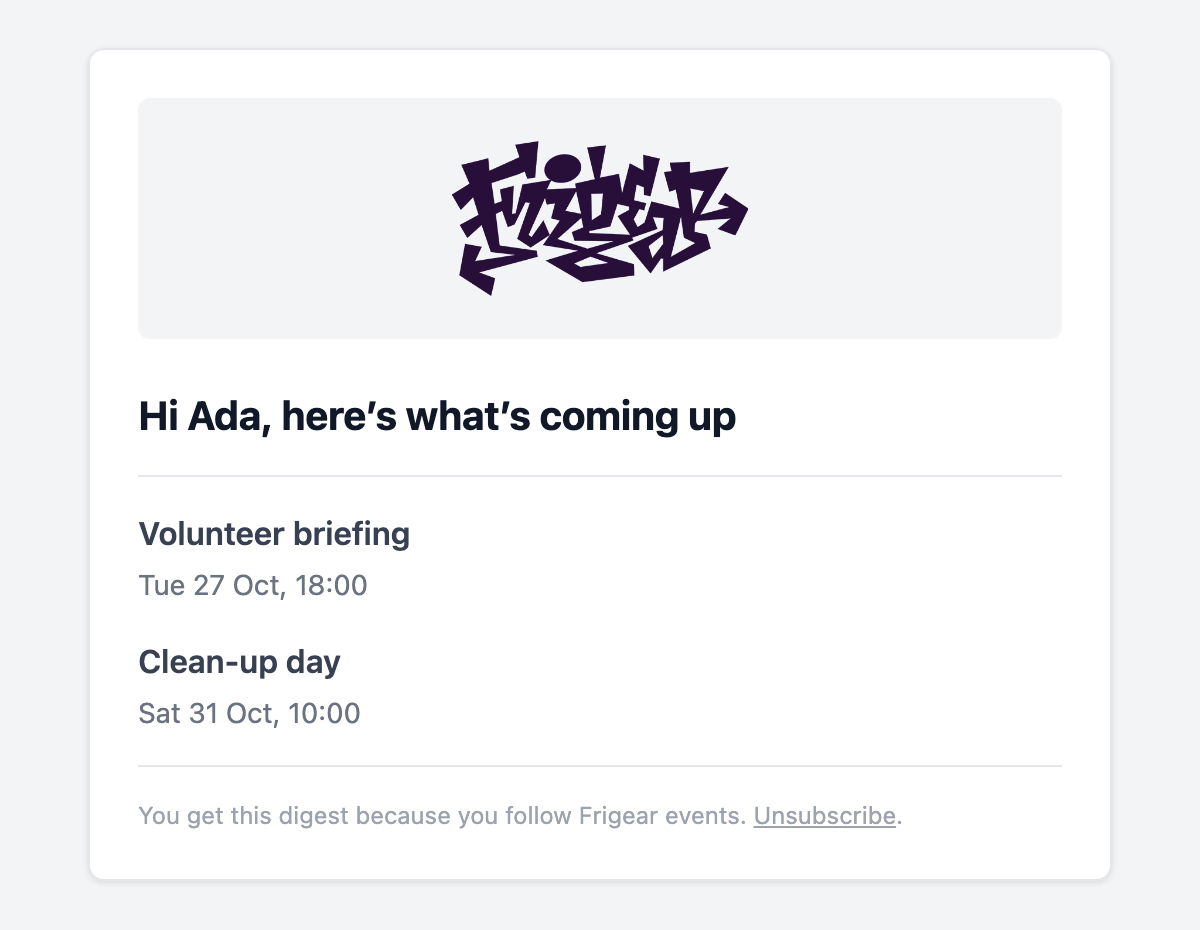
A digest with no button: a list of links, an empty state, and an unsubscribe link in the footer:
<script setup lang="ts">
import { EmailDivider, EmailFooter, EmailHeading, EmailLayout, EmailText } from '@frigear-nu/email-templates/components'

defineProps<{
  name: string
  events: { title: string, date: string, url: string }[]
  unsubscribeUrl: string
}>()
</script>

<template>
  <EmailLayout preview="Upcoming events this week">
    <ESubject>This week at Frigear</ESubject>
    <EmailHeading>Hi {{ name }}, here’s what’s coming up</EmailHeading>
    <EmailDivider />

    <template
      v-for="event in events"
      :key="event.url"
    >
      <EmailText style="margin: 0 0 4px; font-weight: 600">
        <ELink
          :href="event.url"
          style="color: inherit"
        >
          {{ event.title }}
        </ELink>
      </EmailText>
      <EmailText variant="muted">
        {{ event.date }}
      </EmailText>
    </template>

    <EmailText v-if="!events.length">
      Nothing scheduled this week. We’ll let you know when something comes up.
    </EmailText>

    <!-- Replace the default footer, e.g. with an unsubscribe link. -->
    <template #footer>
      <EmailFooter>
        You get this digest because you follow Frigear events.
        <a
          :href="unsubscribeUrl"
          style="color: inherit"
        >Unsubscribe</a>.
      </EmailFooter>
    </template>
  </EmailLayout>
</template>
Send them like any other template. The props are typed from each defineProps:
await sendEmailTemplate('order-receipt', {
  name: user.name,
  orderNumber: order.number,
  currency: 'DKK',
  items: order.lines.map(line => ({ label: line.label, quantity: line.quantity, amount: line.amount })),
  orderUrl: `${origin}/orders/${order.number}`,
}, { to: user.email })
Next steps
- Email templates server – what
sendEmailTemplateaccepts besides props. - Module emails – restyle the emails that modules send.