Module emails
This page shows how a module ships an email template (for module authors) and how your app replaces one (for app developers). Set up the module first: Overview.
Shipping a template from a module
A module sends its email as before, with plain HTML as the fallback, and names its template:
await dispatchEmailNotification({
  to,
  subject: 'Your sign-in link',
  body: `<p>…</p>`,
  text: `…`,
  template: { name: 'auth-magic-link', props: { name, url } },
})
The module registers its template folder with Notify's notify:email:templates build
hook, so it never depends on Email Templates:
// in setup()
nuxt.hook('notify:email:templates', sources => sources.push({ dir: resolver.resolve('./runtime/emails') }))
Name module templates <module>-<email>.vue, so they never collide.
Email Templates renders the named template on Notify's notify:email hook. It replaces subject (when the template
has <ESubject>), body and text.
Overriding a module template
Add a template with the same name to your app, or to any layer, and it replaces the module's. Use the same props, and the components to keep the look. To change only the branding, use the options.
<script setup lang="ts">
import { EmailButton, EmailHeading, EmailLayout, EmailLinkFallback, EmailText } from '@frigear-nu/email-templates/components'

defineProps<{ name: string, url: string }>()
</script>

<template>
  <EmailLayout lang="da" preview="Dit login-link">
    <ESubject>Log ind på Frigear</ESubject>
    <EmailHeading>Hej {{ name }}</EmailHeading>
    <EmailText>Klik på knappen for at logge ind.</EmailText>
    <EmailButton :href="url">Log ind</EmailButton>
    <EmailLinkFallback :href="url">Eller kopier linket:</EmailLinkFallback>
  </EmailLayout>
</template>
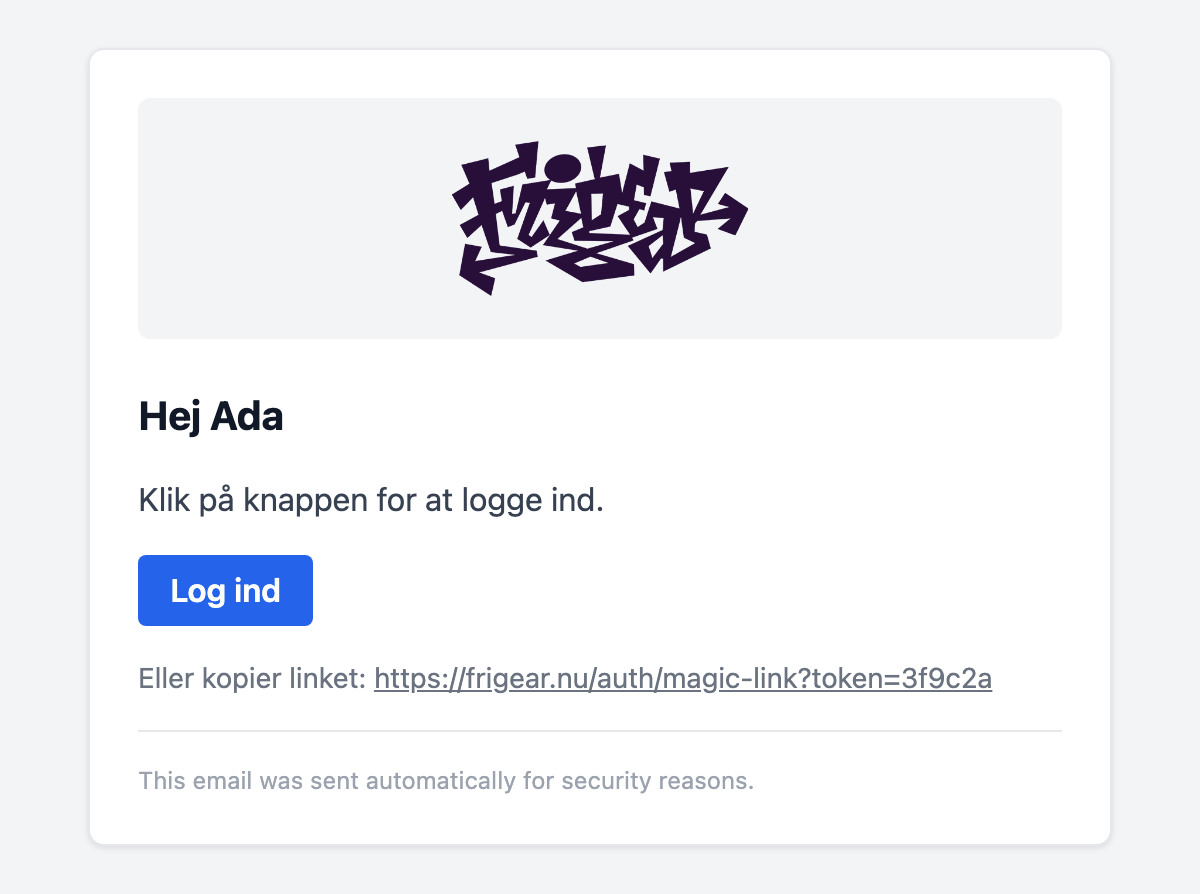
Your app's templates win over the layers' templates, which win over the modules' templates.
Templates modules ship
Override any of these by its name.
| Template | Sent by | Props |
|---|---|---|
auth-magic-link | Auth: magic-link sign-in | { name, url } |
auth-verify-email | Auth: verify the address after registering | { name, url } |
auth-password-reset | Auth: forgot password | { url } |
users-verify-email-change | Users: confirm a new email address | { name, url } |
users-email-changed | Users: notice to the old address, with an undo link | { name, newEmail, url } |
users-password-changed | Users: password changed notice | { name } |
subscriptions-payment-link | Subscriptions: staff-sent payment link | { name, label, url } |
Next steps
- Email components – build the replacement from the same components.
- Email templates server – send your own templates as well.